
Unexpectedly, helping someone install a DELL laptop, dealing with a local account login and an activation issue, took more than ten minutes. All sorted out from the internet, recorded here.
1. Choosing local account login during installation.
Microsoft's tightening of Windows 11 account policy has sparked controversy, with even the Pro version forcing Microsoft account binding, claiming to enhance cross-device experience and security verification, but actually including ad push and data collection. Users prefer local accounts because they are faster and avoid privacy leaks. Currently, the only effective workaround is to press Shift+F10 at the installation screen and enter "start ms-cxh:localonly" command, which directly jumps to local account creation. It is unknown when Microsoft will fix this vulnerability.
When configuring for the first time after system installation, to shorten configuration time, you can choose to configure with the network cable unplugged.
1
During Windows 11 installation, when you reach one of the following two screens, press Shift + F10:
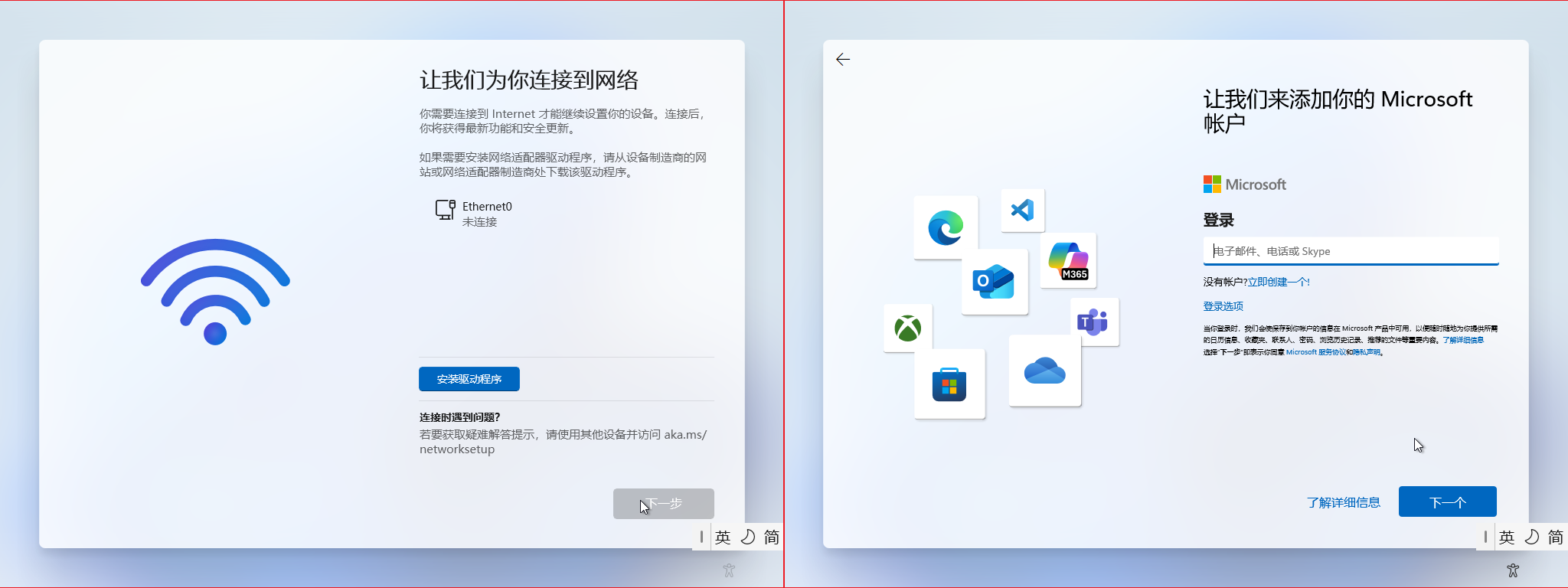
2
In the pop-up small black window, type the following in English input mode and press Enter:
start ms-cxh:localonly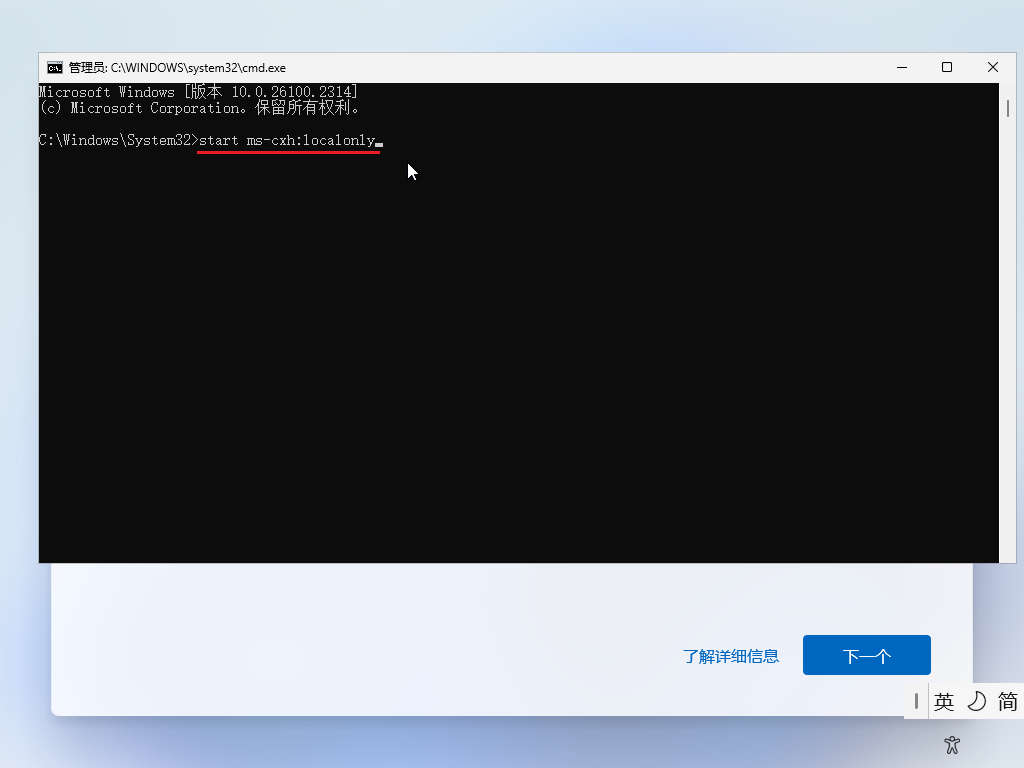
3
In the pop-up "Microsoft account" window, enter a username (for professional use, it is recommended to use numbers or English as username), enter a password (you can leave it blank if you don't want a password), then click "Next":
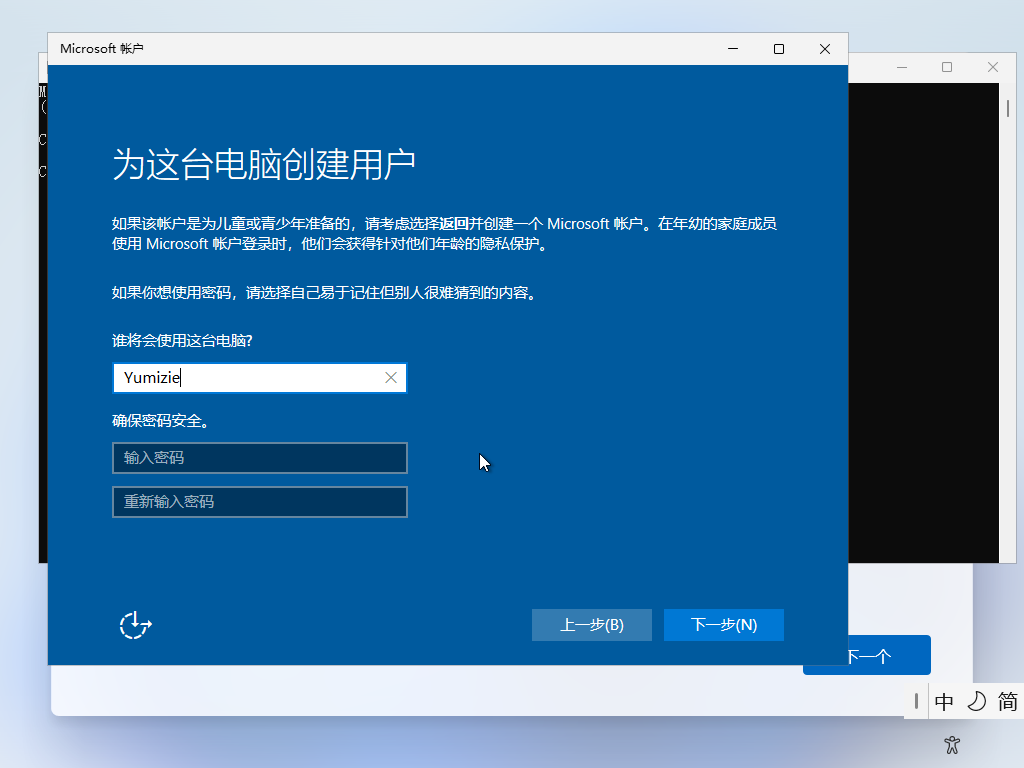
4
The following screen indicates success. Wait a moment, configure other items, and you can directly enter the system:

5
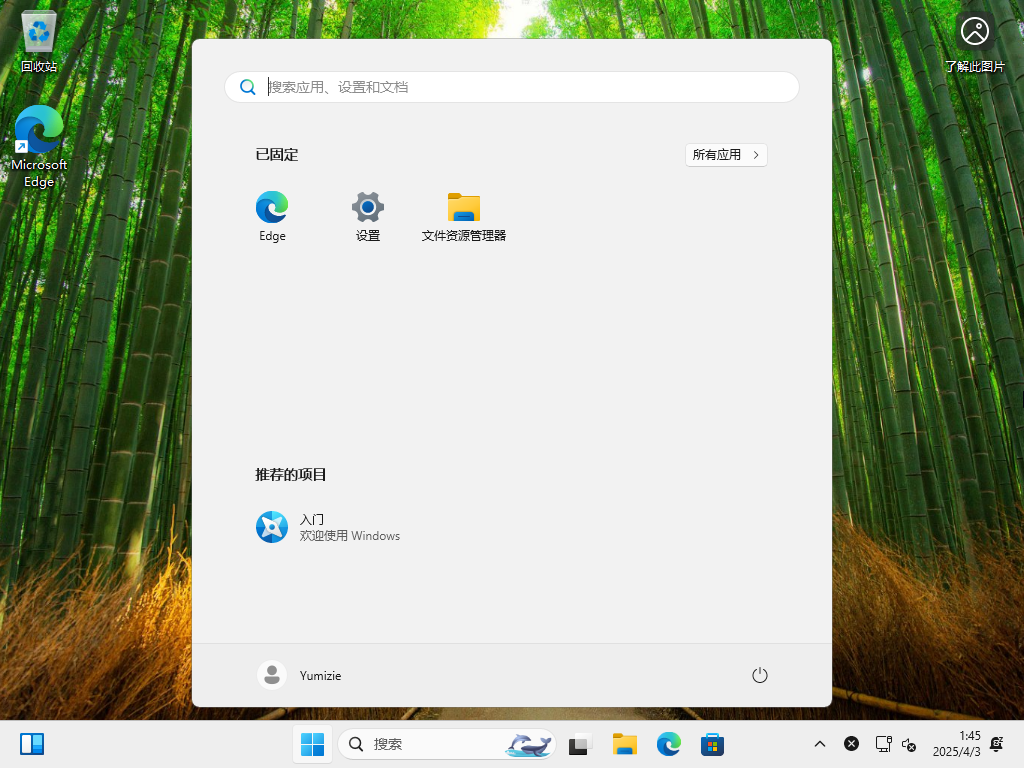
Successfully entered Windows 11 without network connection, saving us a lot of time for online updates:
Reprinted from: https://www.cnblogs.com/minuhy/p/18807070
Old Lv's note: Even with network connection, it can succeed. I started from the right-side screen in Figure 1, no problem.
WIN11 Activation Command (Personally Tested)
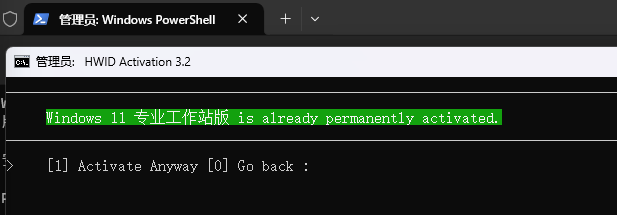
Execute the command in "Terminal (Admin)":
irm https://massgrave.dev/get | iex1
As shown:
2
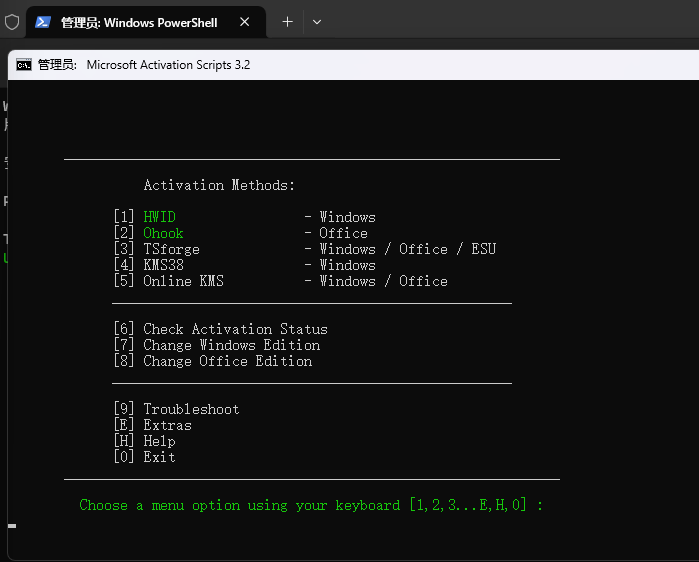
Execution process:
3
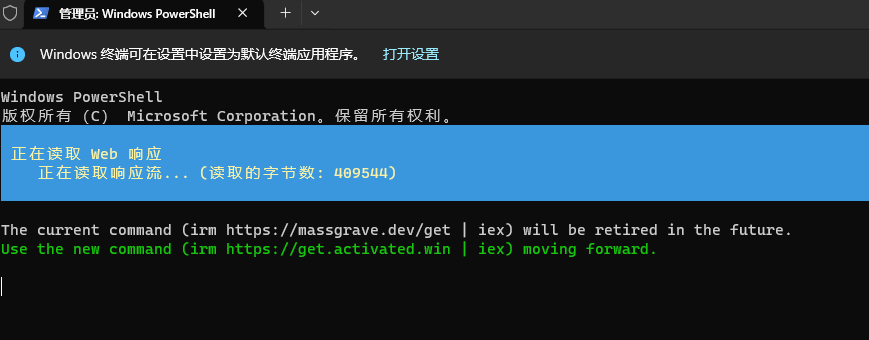
Wait, after execution, select the interface to activate the Windows system. Choose 1:
4
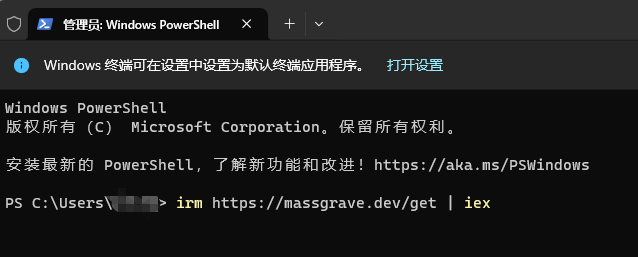
The image below is my already activated interface. The first-time activation interface is slightly different from mine, so please judge for yourself. After activation, restart the computer.
Reprinted from: https://www.cnblogs.com/chengangchn/p/18880263
Comentarios por párrafo 0 · moderado
Comentarios 0 · moderado